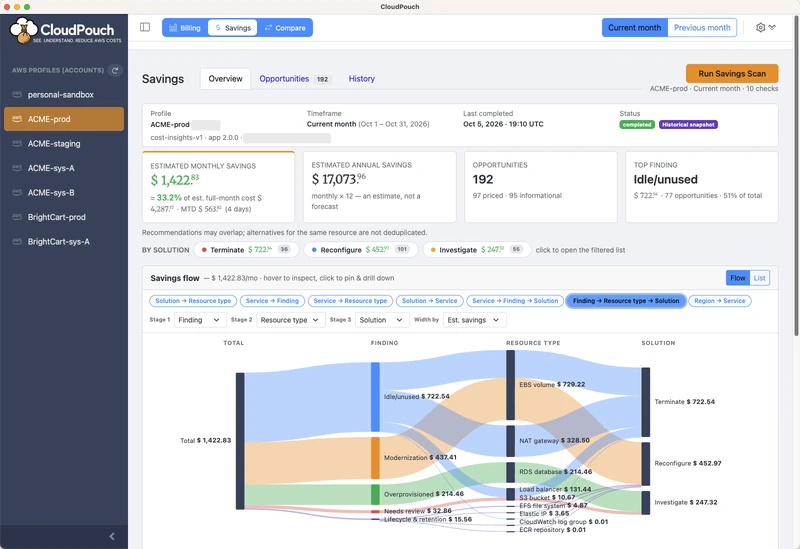
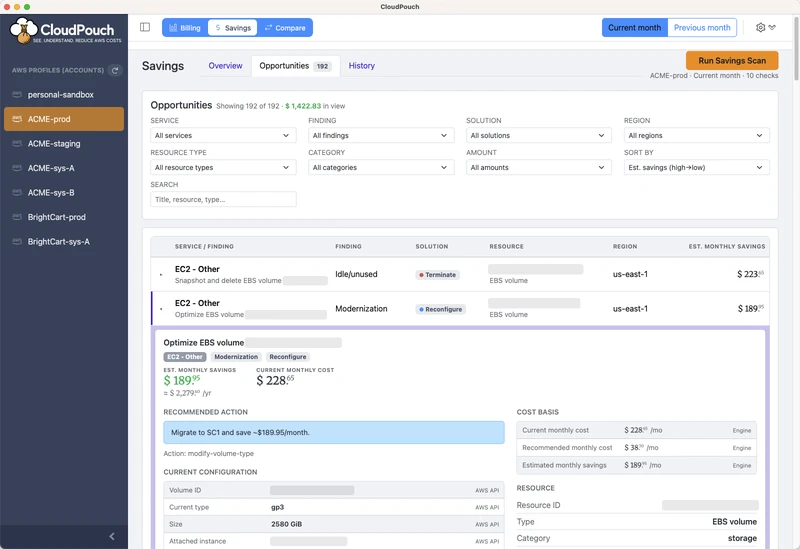
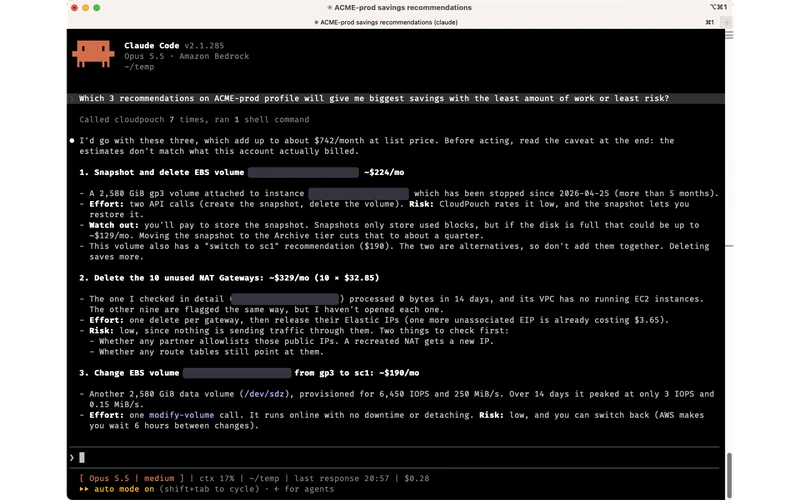
FROM DOWNLOAD TO FIRST SAVINGS IN MINUTES

This is not a SaaS. Everything happens between your computer and the AWS cloud.

YOU DON'T NEED TO GIVE US ACCESS TO YOUR AWS ACCOUNT
1process-image-1

Get a license key

Start your 7-day free trial. Register your account and get your license key via e-mail.

2process-image-2

Download our app

Download the application for macOS, Windows or Linux and install it on your computer. You will receive the download URL together with your license key.
3process-image-3

Start exploring your AWS costs

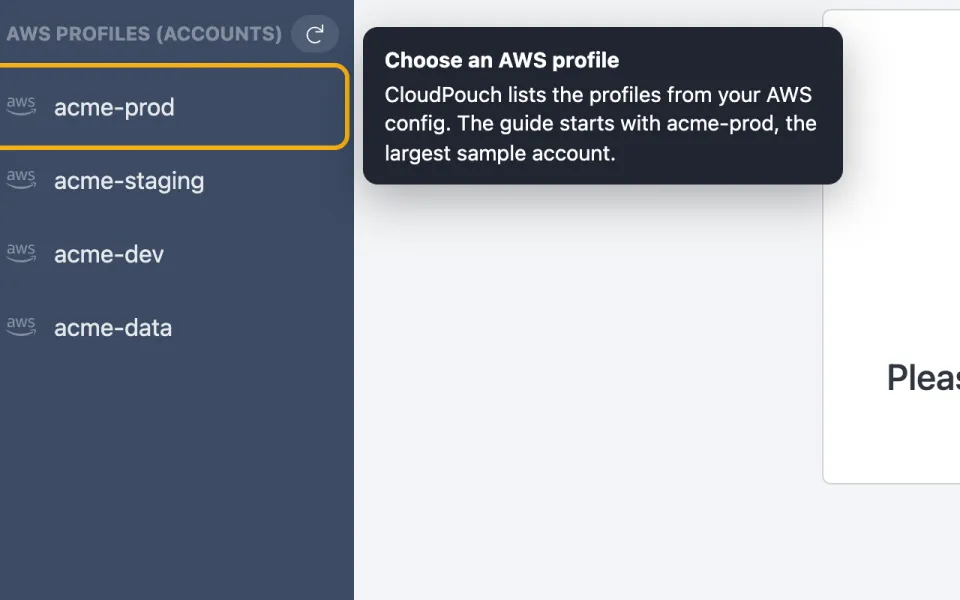
Run the application and enter your license key. CloudPouch automatically loads your AWS profiles. No configuration needed!

75 seconds from brew install cloudpouch to your AWS costs on screen.
CloudPouch table of AWS service costs with month-over-month change per service
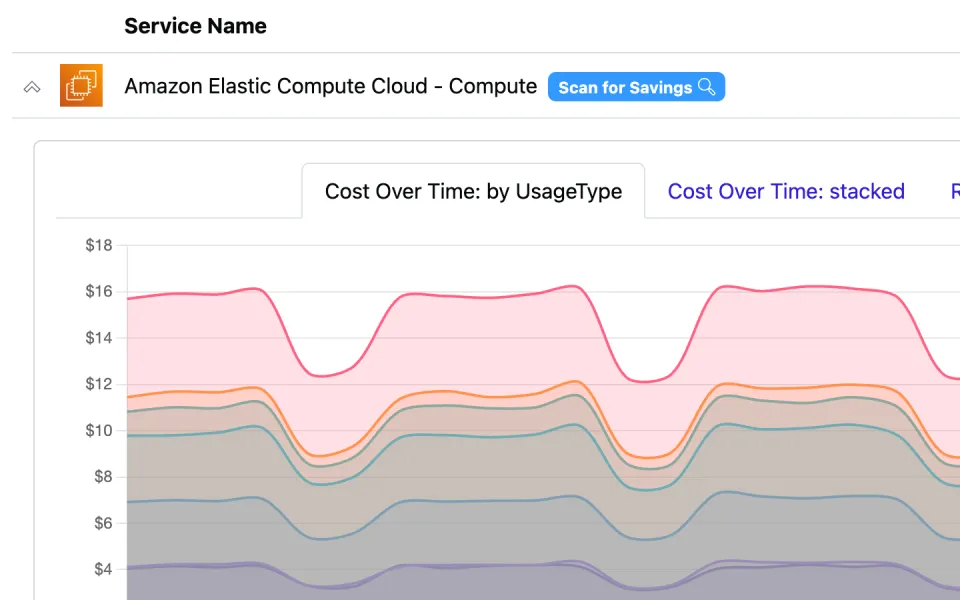
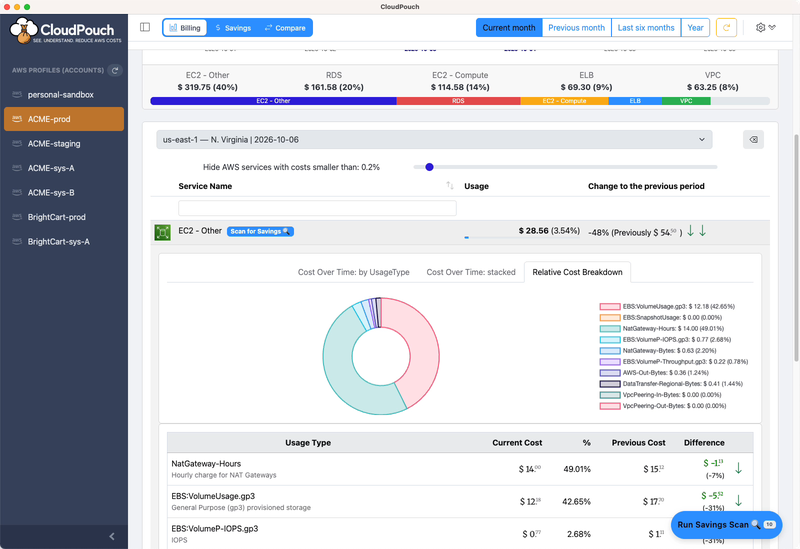
CloudPouch drill-down into AWS usage types with plain-language descriptions of each charge

See Service costs, drill down to UsageType. Filter by Region.

All important billing data grouped by Services. A single click lets you drill down and immediately understand what constitutes the entire cost of a service. 'EC2 - Other' costs are no longer a mystery!

The cost table lets you filter costs by Region and Service name. You can sort results by usage (default) or by Service name.

COST INSIGHTS

Savings recommendations with dollar amounts — not just charts

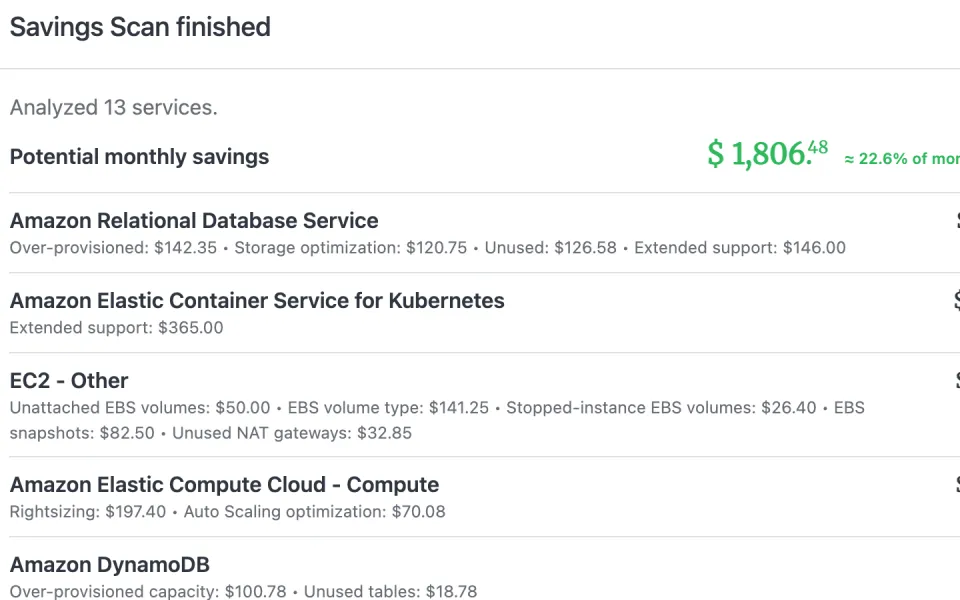
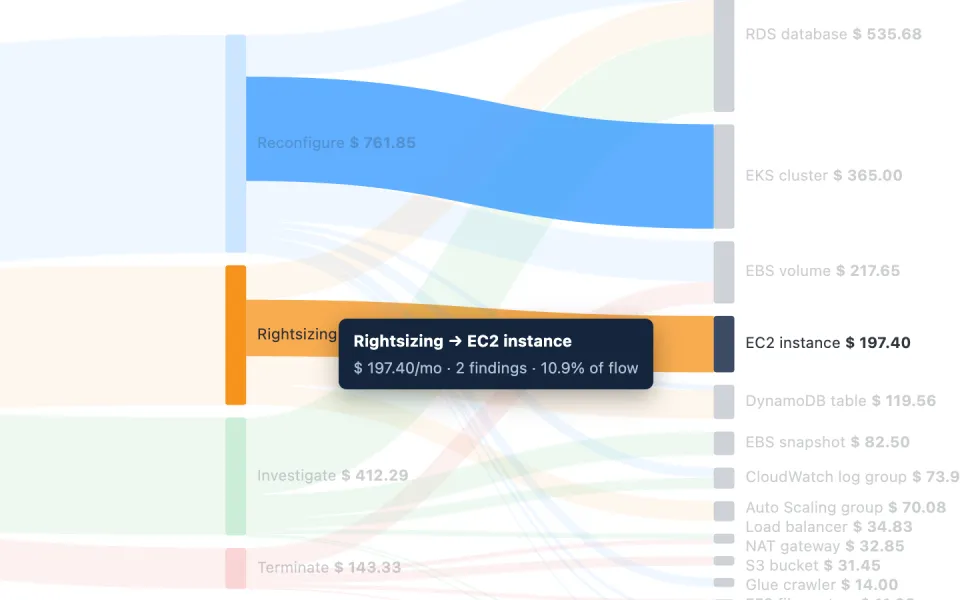
Cost Insights scan the resources in your AWS accounts and tell you what to fix, why it costs money, and how much you will save. Read-only, running on your computer.

CloudPouch EBS Cost Insight showing unattached volumes to delete and GP2 volumes to convert to GP3, with estimated monthly savings
Real Cost Insight output: exact resources, exact monthly savings.

Orphaned EBS volumes & snapshots

Finds unattached volumes, volumes still paid for on stopped instances, and snapshot cleanup opportunities — a classic source of silent AWS waste.

GP2 → GP3 & Volume Type Advisor

Recommends the cheapest EBS volume type that still meets your workload needs, based on 14 days of CloudWatch metrics.

Extended Support alerts

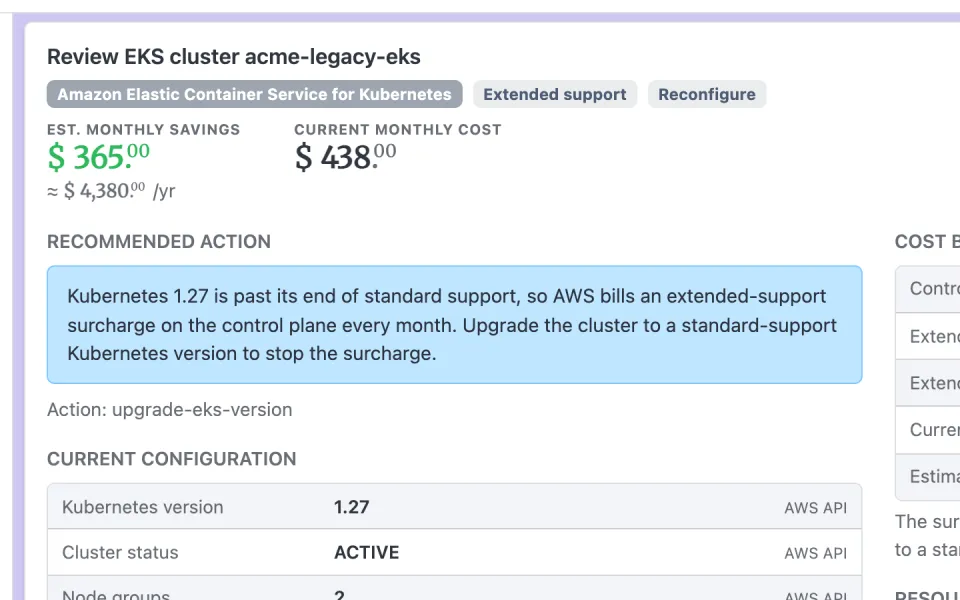
Spots EKS clusters and RDS databases quietly adding hundreds of dollars a month in Extended Support charges — including the total paid so far.

Idle & oversized resources

Detects idle RDS databases and underutilized EC2 instances, with rightsizing recommendations up to Auto Scaling Group level.

GenAI cost attribution

Breaks down Amazon Bedrock spend by team using IAM principal tags, so you know exactly who is generating the GenAI bill.

Run everything at once

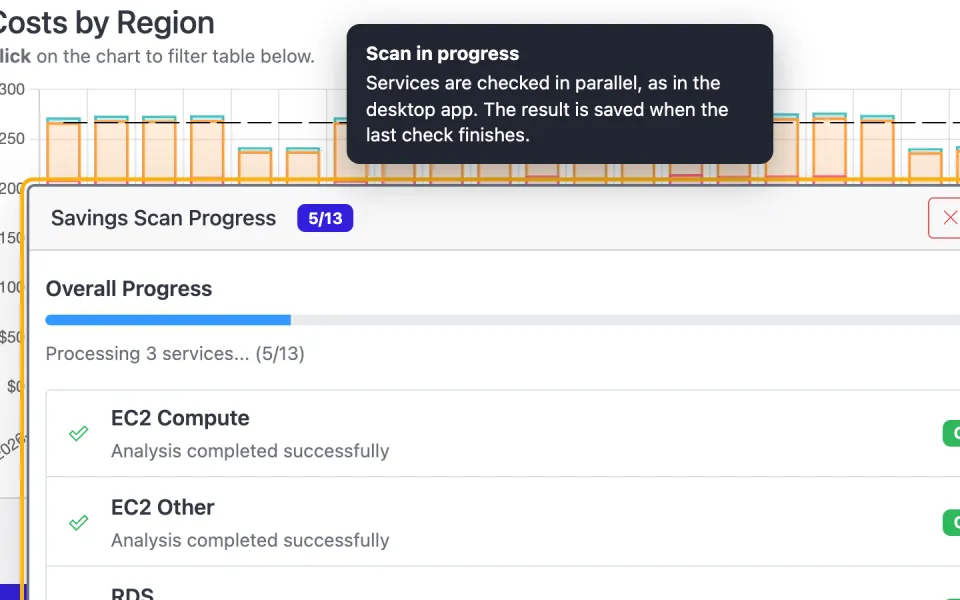
Bulk Cost Insights analyzes all services in one go. If a permission is missing, CloudPouch tells you exactly which API call failed — it never confuses "couldn't check" with "nothing to save".

WHAT CLOUDPOUCH CHECKS — 17 AWS SERVICES, AND COUNTING

Compute

EC2
Unused, barely used and oversized instances ranked by estimated savings, using CloudWatch CPU and network metrics — up to Auto Scaling Group level.
Lambda
Cost per function with memory, duration and invocations. Flags idle Provisioned Concurrency billing 24/7 and zero-traffic functions to clean up.
EKS
Clusters paying the Extended Support surcharge for outdated Kubernetes versions — monthly charge and total paid since enrollment.

Storage

EBS
Unattached volumes, volumes on stopped instances, and a Volume Type Advisor that picks the cheapest volume type from 14 days of usage metrics.
EBS Snapshots
Block-level savings from deleting or archiving snapshots, computed on incremental chains — with delete vs. archive recommendations.
S3
Cost per bucket by storage class, missing lifecycle policies, Intelligent-Tiering opportunities, and average cost per GB.
EFS
Storage-class mix per file system, missing lifecycle policies, Provisioned Throughput waste, and file systems without mount targets.
ECR
Outdated and unused container images per repository, with estimated savings and lifecycle-policy status.

Databases

RDS
Idle databases, over-provisioned instances and storage issues — plus RDS Extended Support detection with monthly and historical cost.
DynamoDB
Provisioned vs. actually consumed throughput, over-provisioned tables, autoscaling recommendations, and burst-capacity risk.
DocumentDB
Idle clusters, rightsizing opportunities, and specific Graviton migration candidates.

Networking

VPC
Unnecessary NAT Gateways, and the VPC Endpoints that would take traffic off the NAT path.
ELB
Unused Application and Network Load Balancers with no meaningful traffic or empty target groups.
Elastic IP
Idle addresses — unassociated or on stopped instances — billed hourly under the 2024 all-public-IPv4 pricing.

AI & Analytics

Bedrock
GenAI spend split by IAM principal tag (team, cost center, department), with an explicit bucket for unattributed calls.
Glue
Over-scheduled crawlers compared against actual catalog changes, plus the cost of failed jobs.

Observability

CloudWatch Logs
Ingestion and storage cost per log group, retention settings, growth tracking, and never-expiring log groups (the AWS default).
FEATURES

Why engineers and AWS consultants choose CloudPouch

feature-item-icon-1

Fast & easy

Don't waste time on logging in, clicking around and switching between AWS accounts. See what's important within seconds.

feature-item-icon-2

Multiple Accounts support

Built for consultants and multi-account teams. Switch between AWS accounts and organizations in seconds — not the minutes it takes in Cost Explorer. AWS SSO supported.

feature-item-icon-3

No setup

Nothing to deploy in your AWS account and nothing to configure. CloudPouch uses the AWS profiles file that is already on your computer.

feature-item-icon-4

No data sharing

Your billing data belongs to you and no one else. It is downloaded directly from AWS to your computer — never stored on our servers, never shared with anyone. No telemetry, no analytics.

feature-item-icon-5

No red tape

You don't need to convince anyone at your company to use this software. Nothing is installed in your AWS account — the desktop app fetches cost data via the AWS SDK using read-only permissions.

feature-item-icon-6

Actionable Cost Insights

Concrete savings recommendations with estimated amounts — not just charts. CloudPouch analyzes EC2, EBS, RDS, S3, EKS, Lambda, DynamoDB, Bedrock and more.

Meet CloudPouch application

CloudPouch was created for AWS developers, architects, SREs and managers

to help them see, understand and manage AWS billing costs with ease.

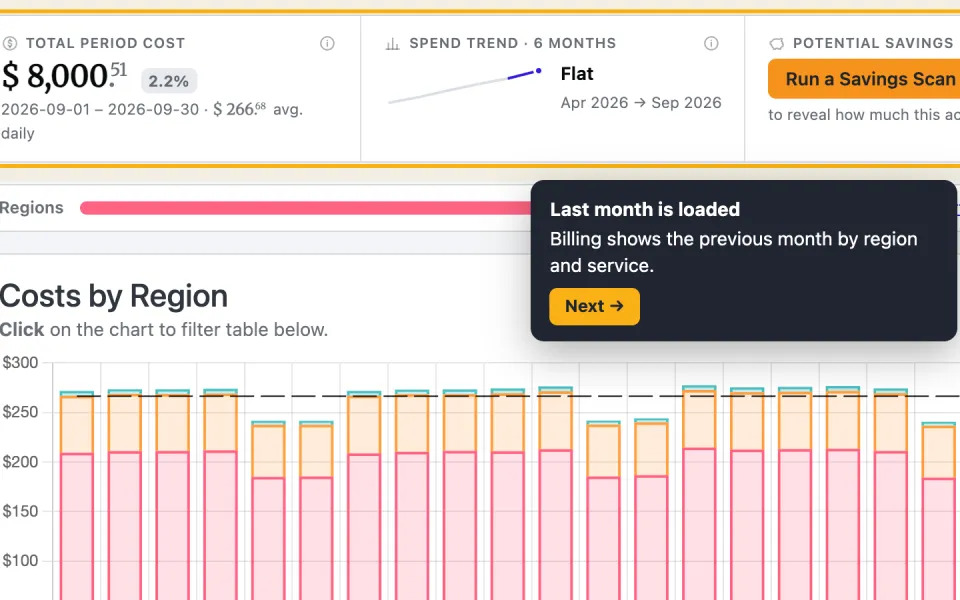
Overview of current month, grouped by day. Costs segmented by Region.CloudPouch screenshot — Month view: Overview of current month, grouped by day. Costs segmented by Region.
CASE STUDIES

Real AWS savings, with real numbers

$1.3Msaved per year

A 2023 engagement uncovered 19,136 EBS volumes (1.29 PB) still attached to long-stopped EC2 instances. Snapshotting and removing them cut storage costs by about $110,000 every month — the same orphaned-volume waste CloudPouch detects automatically.

$18,900saved per month

At the end of 2021, an account with roughly 17,000 EBS volumes was spending about $100,000 per month on GP2 storage. Migrating to GP3 — an opportunity CloudPouch flags out of the box — reduced that bill by about 20%.

Figures come from real engagements by CloudPouch's founder and are anchored to their dates. Your savings depend on your usage and current AWS pricing.

Trusted by AWS Heroes

Endorsed by the AWS community

CloudPouch just reads your local AWS profiles, pulls costs straight to your machine, and shows you where the money goes. I spotted AWS Config rules that had quietly started costing way more than usual… Nobody opens Cost Explorer until the bill already hurts. CloudPouch makes it the kind of thing you actually check on a Tuesday morning with your coffee, not something you panic about at the end of the month.
Setup was quick, it reads your existing AWS CLI profiles and SSO config so there is nothing to configure. No agents in your account, no billing data leaving your machine. I work with client accounts and I cannot just plug random SaaS tools into their infrastructure… You can tell it was built by someone who actually does this work every day, and that makes all the difference.
If you're working with AWS and want actual visibility into where your cloud budget is going, you need to check out CloudPouch. I've been following it for a while and absolutely love the privacy-first approach: no SaaS, no data leaves your machine, just your AWS profiles, analyzed locally. Perfect for devs, architects, and SREs who are tired of guessing what's driving the bill.
Sena YakutAWS Security Hero, Cloud Security Architect
I like it! I think there are often some straightforward configuration wins for DDB tables that can save money without making code changes. Nice work and nice video!
Alex DeBrieAuthor of “The DynamoDB Book”via Twitter
Most AWS cost tools either overwhelm you with dashboards or don't go deep enough. CloudPouch hits the right balance… There's no filler — every feature exists because a real client had a real problem. I spotted cost patterns I'd been missing for months within the first week of use.
Dominik GrzywaczewskiAWS Hero
CloudPouch hands down is the best way for me to navigate my AWS costs across multiple accounts in an intuitive way. There's many solutions out there including things provided by AWS, but this was the first one I used that was straightforward from the start.
Very useful view of cost across multiple AWS accounts. Easy to navigate, zoom in and out, as well get priority view on cloud spending. It saved me hundreds of dollars and probably more thanks to early detection of leaks.
Great app — helps me to manage my personal projects on AWS. I like simple and clear UI, ability to view multiple AWS accounts and caching of cost explorer data. That makes it easy to quickly understand what's happening.
CloudPouch is a nice application for getting an high level overview of your AWS expenses as well as diving deep into individual usage types. It integrates well into AWS SSO, so you don't have to create yet another IAM access key. The app has charts for showing you cost over time, so you can pinpoint on when a specific spike happened, or if it's been an ongoing trend.
I've had a positive experience with Cloudpouch. The platform feels clean and easy to navigate, making cloud data management faster and more efficient. The user interface is intuitive, helping reduce the learning curve when handling complex tasks… I would recommend Cloudpouch to other professionals.
Rossana SuarezAWS Hero
Cloud-pouch is best cost optimiser tools ever seen, lots of features was there since beginning which now introduce by few cloud provider. Kudos to cloud pouch developer.
Clear overview of AWS costs. But the real gem are Cost Insights 💎 Here it recommends changing Provisioned Capacity to On-Demand for unused tables in the development environment 🎯
PRICING PLAN

No billing surprises. Fixed-price for subscription or single payment.

Are you representing a company? Do you need more licenses?
Our Enterprise Plan covers 100 users for only 639 USD monthly.
Please contact Paweł Zubkiewicz via LinkedIn for more details.

Unlimited License

Single payment

  • Single payment for life
  • Limitless AWS Accounts
  • CloudPouch desktop app
  • macOS, Windows, Linux
  • Automatic updates
  • Best option for experts
  • Video Call or email support
Crown Suggested

Yearly Subscription

Best price

  • Billed yearly. You save $69
  • Limitless AWS Accounts
  • CloudPouch desktop app
  • macOS, Windows, Linux
  • Automatic updates
  • 15% discount
  • Email support.

Monthly Subscription

Elastic commitment

  • Billed monthly
  • Limitless AWS Accounts
  • CloudPouch desktop app
  • macOS, Windows, Linux
  • Automatic updates
  • Small monthly payment.
  • Email support.

🛡 Payments are safely processed and invoiced by a Paddle.com company. 💳 Depending on your country laws tax may be added to your purchase.

TESTIMONIALS

What our clients say about CloudPouch application

  • Cost reduction by more than 50%

    Thanks to the CloudPouch application, monitoring AWS cloud costs has become part of my daily to-do list. Regular usage has allowed me to notice recurring patterns in generated costs and pinpoint problematic configurations. Ultimately, this has resulted in a reduction of AWS costs in the project by more than 50% on a monthly scale, and there are still visible anomalies, the removal of which will save even more.

    reviewer-image-0

    Michał Widanka

    AWS Cloud Engineer

  • AWS Pricing is complex

    People don't realize how useful this tool is until they try to figure out pricing on aws the first time. Nice work!

    reviewer-image-1

    BrentoBox

    Product Designer & Indie developer

  • Better than AWS Budget calculator

    Super cool idea of Paweł! For sure worth to try it and it's for sure better than AWS Budget calculator!

    reviewer-image-2

    Rafał Wołoszyn

    Software Engineer | Founder | CTO

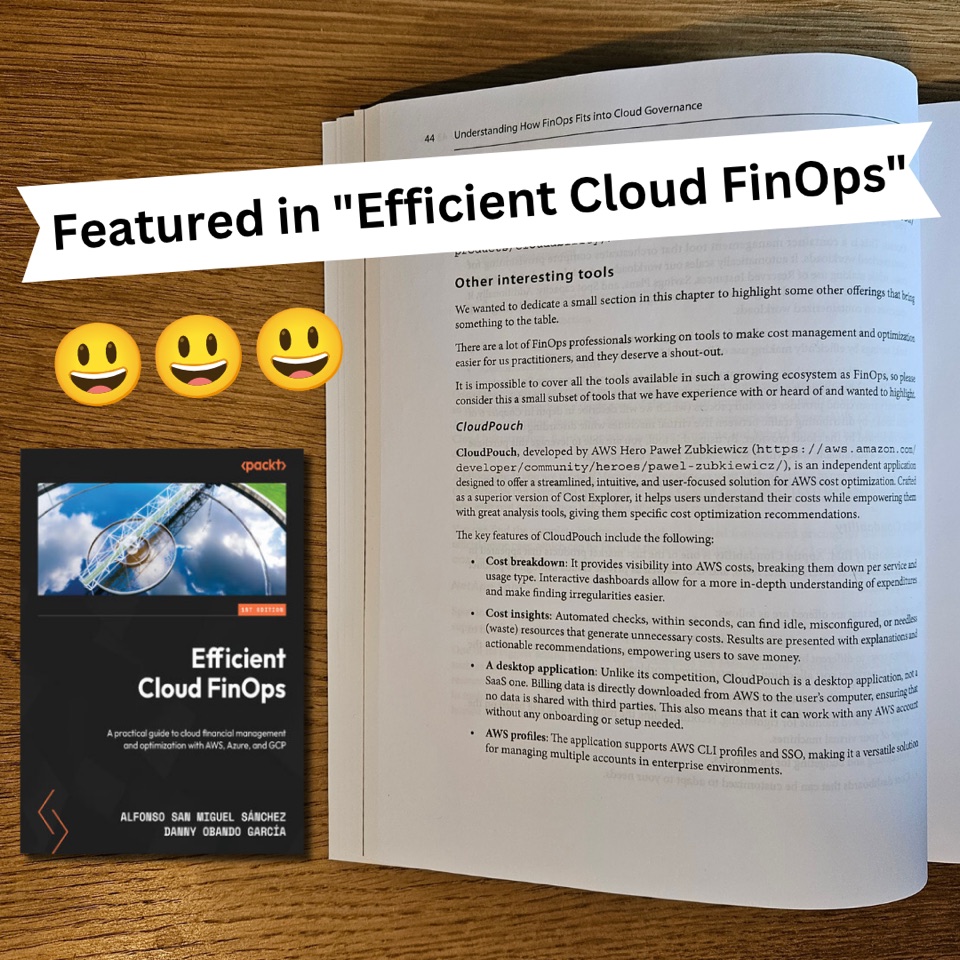
CloudPouch featured in the book Efficient Cloud FinOps, page 44

Featured in the “Efficient Cloud FinOps” book

CloudPouch is described in Efficient Cloud FinOps (Packt Publishing) by Alfonso San Miguel Sánchez and Danny Obando García. The authors present it as one of the interesting FinOps tools — covering its cost breakdown, Cost Insights, and the local, desktop-first model that works with your AWS CLI and SSO profiles.

Independent authors writing about FinOps chose CloudPouch as a tool worth knowing. We think that says more than any ad could.

Haven't tried CloudPouch yet?

Try it for 7 days, no strings attached.

✔️ 7-day free trial ✔️ No credit card required ✔️ Available for macOS, Linux and Windows

Paweł Zubkiewicz

Hello. I'm Paweł 👋

AWS Hero, architect & developer. Founder of the CloudPouch application.

I wrote CloudPouch because I needed a simple solution to understand costs in multiple accounts that I manage in my everyday work. CloudPouch works locally on my machine, so it can be used with my clients' accounts, without special permissions and a hassle of multiple browser windows.

I use it everyday to check current usage; find waste; and misconfigured resources; in order to optimize costs for my clients.

Paweł Zubkiewicz

Founder.

FREQUENTLY ASKED QUESTIONS

Want to ask something from us?